Top 6 Auto Dialers for Sales Reps in 2026

Sales reps are feeling the impact of slower reply rates through traditional outreach and growing pressure to create more pipeline and live conversations with prospects each day. Teams need tools that help them move faster between calls and stay focused on the prospects most likely to convert. This is where an auto dialer becomes a core part of a modern sales workflow.
An auto dialer is a software tool that automatically dials phone numbers from a list, connecting sales reps only when a live person answers. An auto dialer for sales teams is built for AEs and SDRs who are actively prospecting and speaking with buyers, not for managing inbound queues or call-center scripts.
Nooks is the best auto dialer for sales reps in 2026 because it combines dialing, prospecting, and coaching in a single platform. By automating outbound calling, reps spend more time in real conversations and less time handling setup, dialing, and cleanup between attempts. Nooks pairs its auto dialer with prospecting and coaching in a single platform, supporting the full outreach process and setting the standard for auto dialer software in 2026 and beyond.
Key takeaways
- Auto dialers help sales reps increase talk time with prospects by automating outbound calling and reducing manual steps between conversations.
- The auto dialers for sales reps in this list are evaluated based on usability, automation depth, workflow alignment, and long-term scalability.
- The best auto dialers focus on the quality of conversation, not just call volume.
- Nooks ranks first for offering an auto dialer within a integrated and comprehensive AI sales assistant platform that focuses on feedback loops across prospecting and coaching tools.
- Tools like Talkdesk, CloudTalk, Orum, Koncert, FlashIntel, and DialedIn take narrower approaches, focusing on speed, telephony, or call routing.
- This comparison highlights how different solutions match different sales motions, helping teams understand which dialer aligns best with their workflow needs.
- Readers will learn how leading platforms automate repetitive tasks and provide insights that support more consistent performance from sales reps.
How auto dialers work
Auto dialers streamline outbound calling by handling repetitive tasks that slow reps down. Here's how they operate:
- Parallel dialing: The system dials multiple numbers simultaneously, connecting reps only when a live person picks up.
- Voicemail detection: Auto dialers identify voicemails and answering machines, allowing reps to skip or leave pre-recorded messages automatically.
- CRM logging: Call outcomes, notes, and activity sync directly to your CRM without manual data entry.
- List progression: The dialer automatically moves through call lists, eliminating the need to manually select the next contact.
- Call disposition tracking: Reps can quickly tag call outcomes, which feeds into reporting and follow-up workflows.
Auto dialer vs. power dialer vs. predictive dialer
Understanding the differences between dialer types helps teams choose the right tool for their workflow:
- Auto dialer: A broad category of software that automatically dials numbers from a list, reducing manual effort and connecting reps to live conversations faster.
- Power dialer: Dials one number at a time in sequence, giving reps a moment to prepare before each call connects—ideal for teams that prioritize personalized conversations.
- Predictive dialer: Uses algorithms to dial multiple numbers simultaneously and predicts when reps will be available, maximizing call volume but sometimes connecting reps mid-conversation—best suited for high-volume environments where speed outweighs personalization.
The top 6 auto dialers for sales reps in 2026
This table offers a quick view of how the top auto dialers differ in focus, strengths, and ideal use cases.
At a glance: Which auto dialer is right for you?
- Best for phone-heavy SDR teams: Nooks combines high-volume dialing with prospecting and coaching, helping SDRs increase dials from 50-60 per day to 150-200+ while improving conversation quality.
- Best for blended sales/support teams: Talkdesk offers intelligent call routing within a contact-center framework, making it ideal for organizations running both outbound sales and customer service.
- Best for SMB teams needing simplicity: CloudTalk provides a cloud-based phone system with basic outbound calling features for small teams that don't need advanced automation.
- Best for maximizing dial volume: Orum's parallel dialing technology is built for SDR groups that prioritize speed and high attempted call volume above all else.
- Best for process-driven campaigns: Koncert supports structured, sequence-driven calling programs for teams that operate high-volume outbound with predictable workflows.
- Best for intent-driven outreach: FlashIntel anchors dialing in real-time buyer signals, helping reps prioritize calls based on engagement likelihood rather than pure volume.
1. Nooks — Best overall autodialer for sales reps
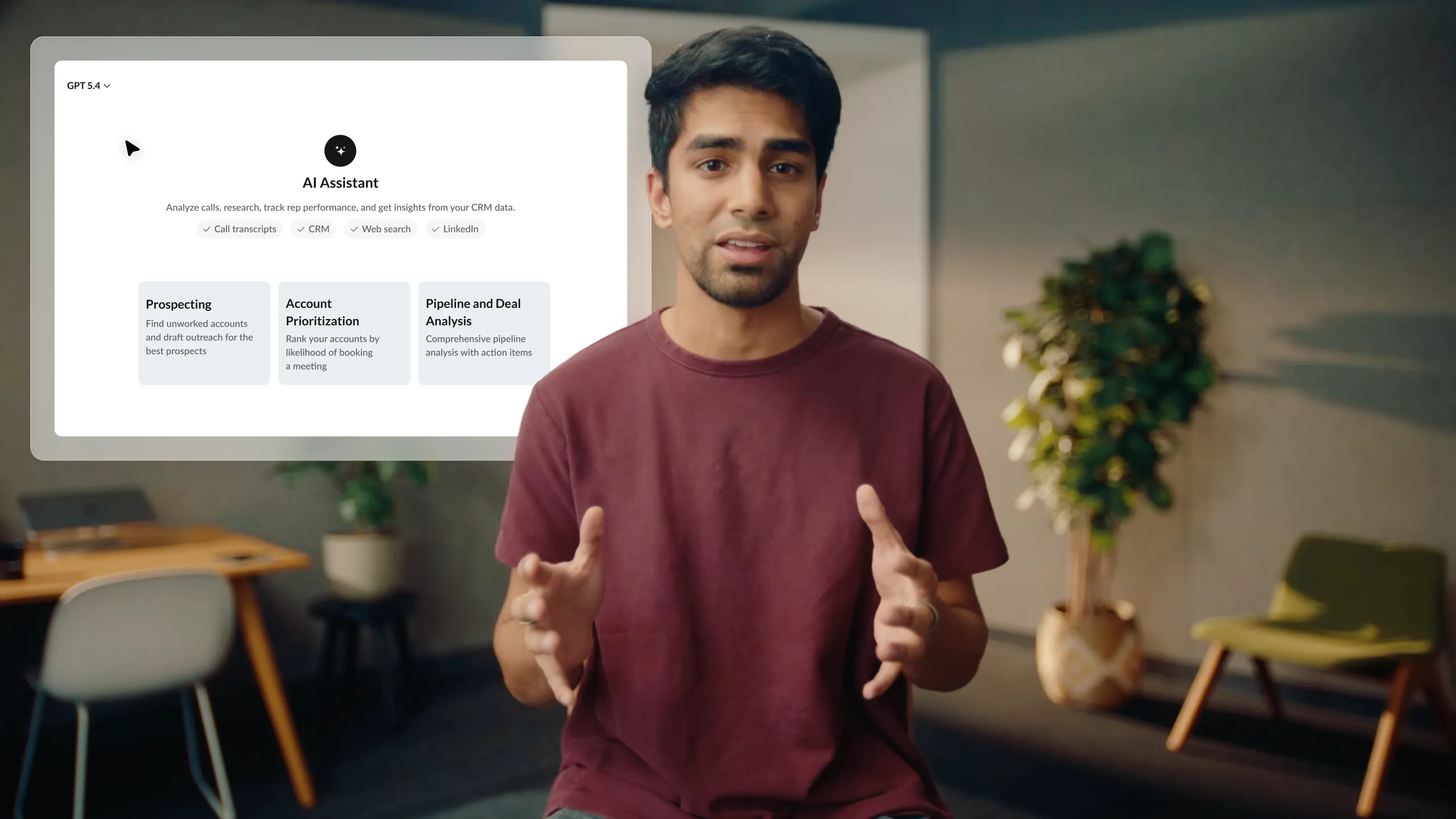
Nooks is an AI sales assistant platform that brings auto dialing, prospecting, and coaching together in one workspace. Nooks is an AI sales assistant platform that brings auto dialing, prospecting, and coaching together in one workspace. Instead of using separate tools for research, calling, and performance guidance, reps can manage their entire outreach flow inside Nooks. This unified design helps teams work faster, stay organized, and improve consistency across their calling efforts. Each tool generates feedback loops for the others, making each step in the outbound process more effective. Teams using Nooks report increasing from 50-60 dials per day to 150-200+ dials, while auto-logging saves reps 5-10 minutes per hour previously spent on manual data entry.
Key differentiators:
- Prospecting tools that help reps research and prioritize high-potential accounts before calling.
- Auto dialer designed to increase call volume while reducing manual steps between conversations.
- AI-supported insights that highlight patterns in rep performance and guide coaching efforts.
- Workspace that connects daily execution with ongoing skill development for a more continuous improvement cycle.
- Clear visibility into activity trends that help managers allocate time and support more effectively.
Best for: Teams that want an auto dialer combined with prospecting and coaching features to support higher outreach productivity.
2. Talkdesk
Talkdesk is a cloud contact-center platform best suited for organizations blending sales and service roles within a larger support and communication system. It includes outbound dialing capabilities within a larger support and communication system.
Key differentiators:
- Intelligent call routing within a contact-center framework
- Outbound tools tied to customer service workflows
- Native reporting for call and agent activity
Best for: Teams running both outbound sales and customer support from a shared environment.
3. CloudTalk
CloudTalk is a cloud-based phone system best suited for small teams needing basic outbound calling with straightforward telephony features. It provides a straightforward auto dialer for small and mid-sized teams and focuses on simple telephony features rather than full outbound automation.
Key differentiators:
- Power dialer integrated with cloud telephony
- Call routing and recording tools
- CRM integrations for basic workflow support
Best for: SMB teams looking for phone system simplicity with added auto-dialing.
4. Orum
Orum is a parallel dialing tool best suited for SDR teams focused on maximizing call attempts and live connections through rapid outreach. It is built for high-volume outbound calling and uses parallel dialing to increase live connections.
Key differentiators:
- AI-assisted parallel calling
- Live conversation detection
- Simple analytics for call activity
Best for: SDR groups that prioritize speed and high attempted call volume.
5. Koncert
Koncert is a multi-channel dialing suite best suited for teams running organized outbound sequences with predictable calling blocks. It offers structured dialing for teams running organized outbound sequences, with tools that support predictable calling blocks and process-driven outreach.
Key differentiators:
- Multi-channel dialer options
- Sequence-focused calling workflow
- Dashboards for volume and activity tracking
Best for: Outbound teams operating high-volume, sequence-driven programs.
6. FlashIntel
FlashIntel is a data-driven outreach tool best suited for reps who rely on intent signals to prioritize which prospects to call first. It combines data signals with dialing tools to help reps reach prospects when engagement likelihood is highest, anchoring dialing in real-time intelligence rather than pure volume.
Key differentiators:
- Intent and signal-based lead prioritization
- Dialing supported by data-driven recommendations
- Tools for timing outreach based on buyer activity
Best for: Reps who rely on intent data to guide call targeting.
Methodology for choosing the top auto dialers for sales reps
To determine which platforms offer the most value for modern sales teams, a team of experts reviewed tools using criteria that reflect the realities of outbound work. Each factor highlights what helps reps stay productive, improve consistency, and adapt to shifting pipeline demands.
- Workflow alignment and daily usability: A dialer must fit naturally into how sales reps work or it risks low adoption. Tools that streamline the path from research to conversation give teams a clearer rhythm and reduce wasted motion.
- Automation strength and calling efficiency: Reps depend on automation to move quickly through call lists, so we looked at how well each platform cuts down repetitive tasks. When automation supports both speed and accuracy, teams see more meaningful conversations.
- Visibility into rep performance and activity: Clear insight into calling patterns helps managers guide reps more effectively. Platforms that surface trends without heavy manual analysis allow teams to adjust outreach strategies sooner.
- Support for different sales motions: Outbound workflows vary by team, so flexibility is important. The strongest tools adapt to SDR-style volume, full-cycle rep workflows, or blended roles without adding complexity.
- Integration quality and scalability: A dialer becomes more valuable when it works seamlessly with CRM and existing systems. As teams grow or increase call volume, scalable tools help maintain data accuracy and operational stability.
- Reinforcement of skill development: While dialing speed matters, long-term performance relies on continuous improvement. Features that help managers identify coaching moments or reinforce good habits accelerate rep development over time.
How to choose the right auto dialer for your team
Selecting the right auto dialer matters because it influences how consistently reps can generate conversations and how easily managers can support their daily work. The best tools fit naturally into existing workflows and help teams maintain a steady rhythm of outreach without added complexity. A thoughtful evaluation makes it easier to choose a solution that strengthens both short-term productivity and long-term performance.
Review how well the dialer fits into daily outreach workflows
A dialer should make calling feel smoother, not more complicated. Look for tools that reduce steps between research, call attempts, and follow-up activity. When a platform supports the full flow of outreach rather than isolating one part of it, reps tend to stay more focused and produce more consistent results.
It also helps when the dialer allows reps to stay within a single environment while preparing and calling. This kind of continuity leads to fewer interruptions and clearer momentum throughout the day.
Evaluate the automation features that shape calling efficiency
Auto dialers vary in how much they automate. Some focus on eliminating manual dialing, while others help reps move quickly through lists or connect more calls in less time. It's important to understand which approach best aligns with your team's goals.
Teams that prioritize speed will want strong automation around call progression. Others may value accuracy and timing features that guide when and whom to call.
Check whether the tool offers meaningful visibility into rep performance
Managers rely on call activity insights to make confident decisions about coaching and resource allocation. A useful dialer surfaces trends in behavior, call outcomes, and productivity without requiring hours of manual review. This helps leaders identify patterns early and respond before performance dips.
Clear visibility also supports better planning. When teams understand where reps excel or struggle, they can build more targeted development plans.
Consider how the dialer adapts to different outbound motions
Outbound teams don't all operate the same way. Some focus on rapid SDR-style calling, while others balance research, preparation, and multi-channel outreach. A flexible dialer can support both styles without forcing the team to adjust their workflow.
This flexibility becomes more critical as roles evolve. Tools that adapt easily often remain valuable even as teams grow or change direction.
Look at how well the tool integrates with your core systems
A dialer is more effective when it connects reliably to your CRM and other outbound tools. Clean data flow reduces manual entry and prevents reporting gaps. Teams should confirm that call outcomes, notes, and activity sync consistently.
Strong integrations also reduce friction during onboarding. When the dialer fits naturally into your existing environment, adoption tends to increase.
Assess whether the dialer supports long-term skill development
Some dialers focus only on call mechanics, but teams often benefit from tools that reinforce good habits over time. Features that highlight coaching opportunities or reveal patterns in rep behavior help managers guide their teams more effectively. This creates a more supportive environment for continuous improvement.
Final thought: Nooks is the most complete auto dialer for sales reps in 2026
The right auto dialer can make a measurable difference in how reliably sales reps generate conversations and maintain a steady cadence of outreach. Tools that automate repetitive steps, surface useful insights, and support broader workflows tend to deliver the strongest long-term impact.
Nooks stands out for pairing its dialer with AI-supported prospecting and coaching within a single workspace. This combination gives teams a more complete environment for productive outreach and ongoing improvement, making Nooks the most comprehensive option on the list.